mobile companion for your Webflow CMS
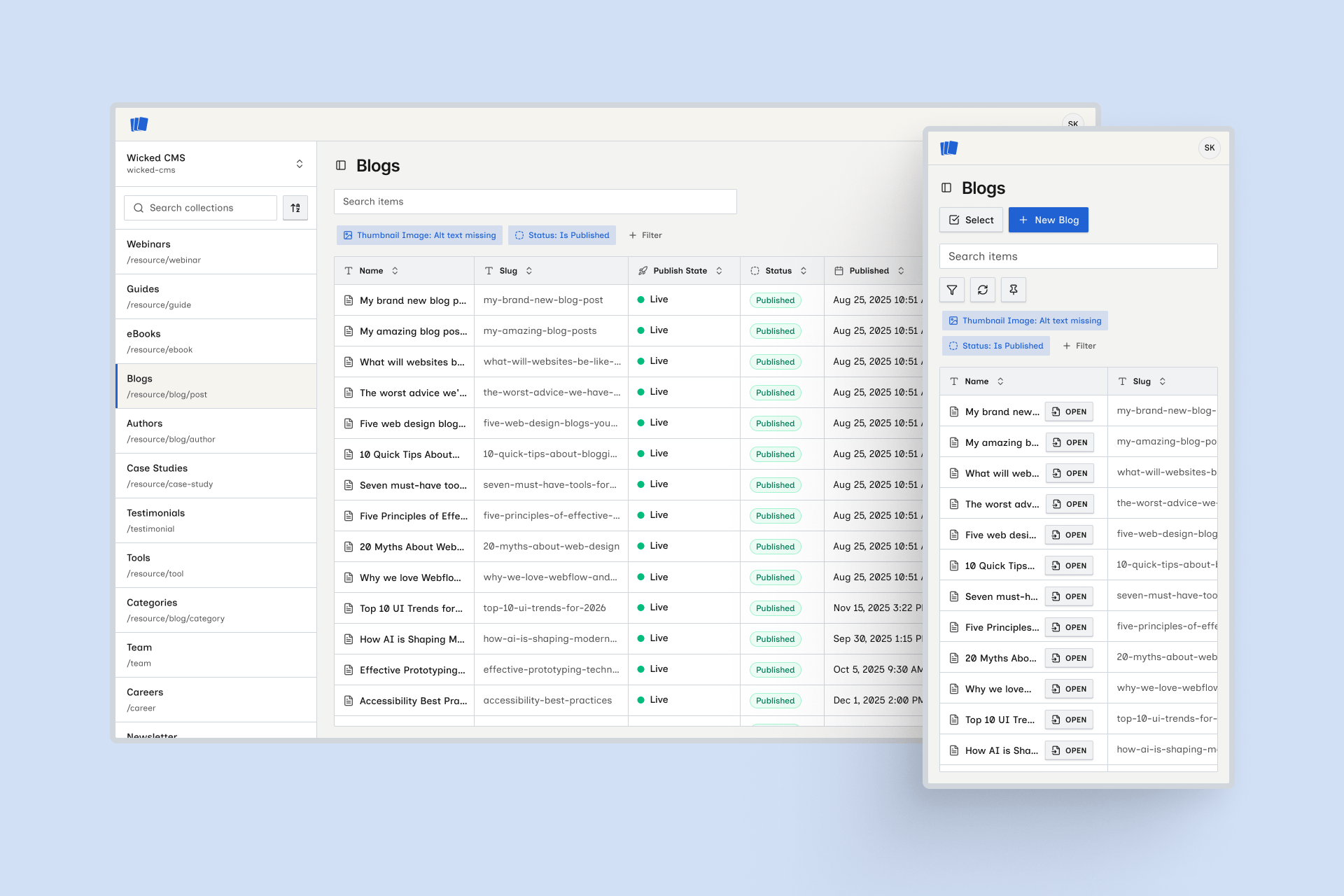
edit, publish, and manage collection items on the go, without opening the Webflow designer.
nothing to install
wicked cms runs in the browser. no app store, no plugin, no designer.
your own Webflow login
you authorize Webflow yourself, per person. never a shared api key.
phone, tablet, desktop
the same workspace adapts to whatever screen you happen to have.
free while in beta
if that ever changes, we’ll describe the terms before you’re charged.
the Webflow designer was never built for a phone.
so a typo on a live post means finding a laptop, and a launch you promised at 9am waits for you to get to your desk. wicked cms gives your content its own front door, one that already fits the device in your hand.
three steps, two minutes
create an account
sign in with email, google, or github. no credit card, nothing to download.
connect Webflow
authorize your own Webflow account from inside wicked cms. your sites appear on their own.
edit from anywhere
open any collection, change what you need, and publish it, from whatever you’re holding.
work fast, even across hundreds of items
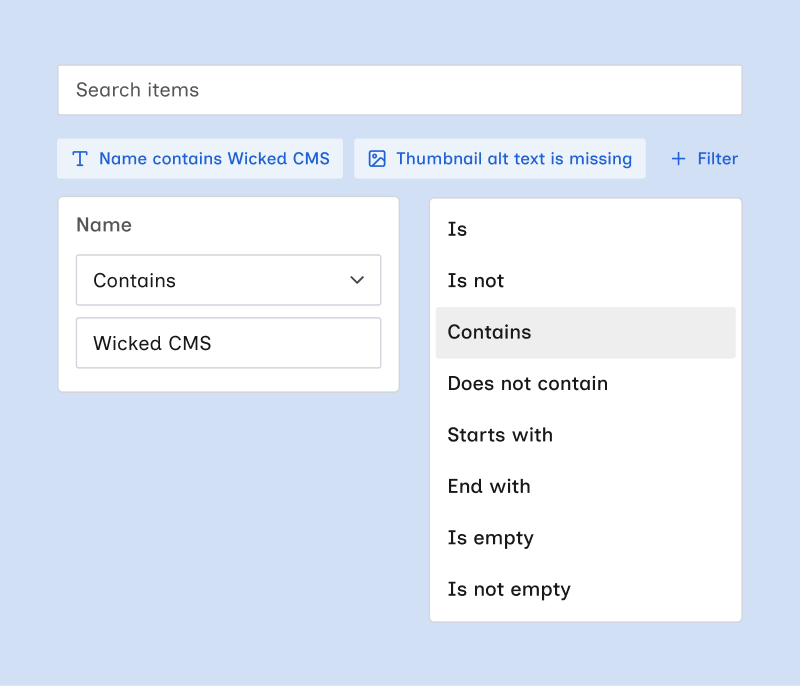
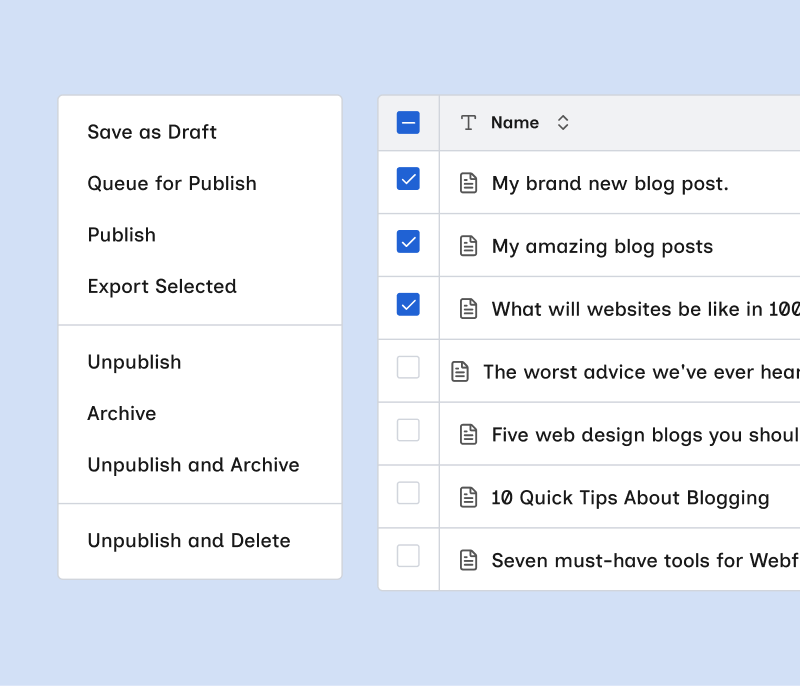
search by name or slug, filter by any field, and customize the columns you see. then select as many items as you like and save as draft, publish, unpublish, archive, export, or delete them in one click.
the details that make content right
editing on a small screen is only useful if you can trust what you changed.
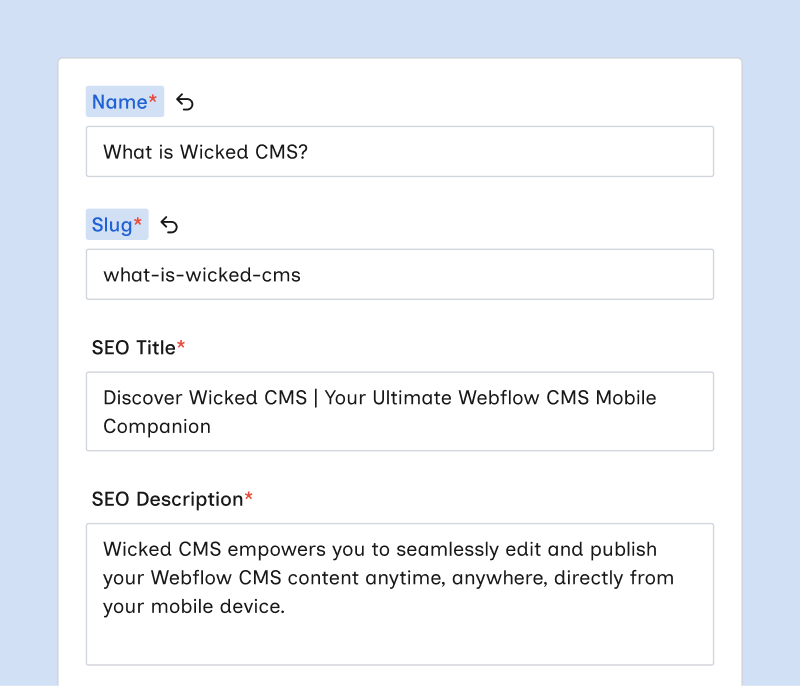
see exactly what changed
edited fields are highlighted as you work, and one tap resets any field back to its live value.
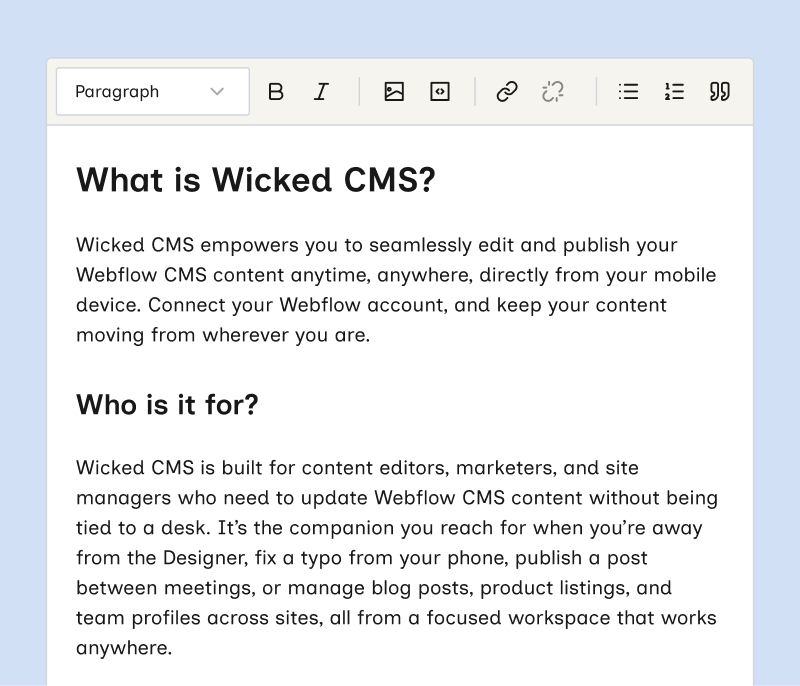
content the way you want
headings, bold, italic, links, lists, images, and more. write and format posts right from your phone.
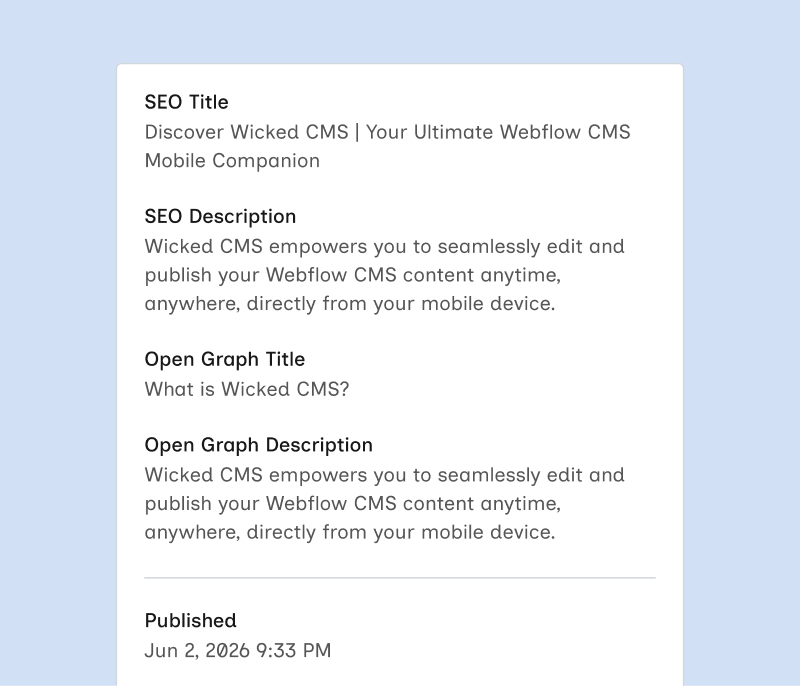
ship seo ready content
edit seo and open graph titles and descriptions, and review them all in one place before you publish.
works on every screen
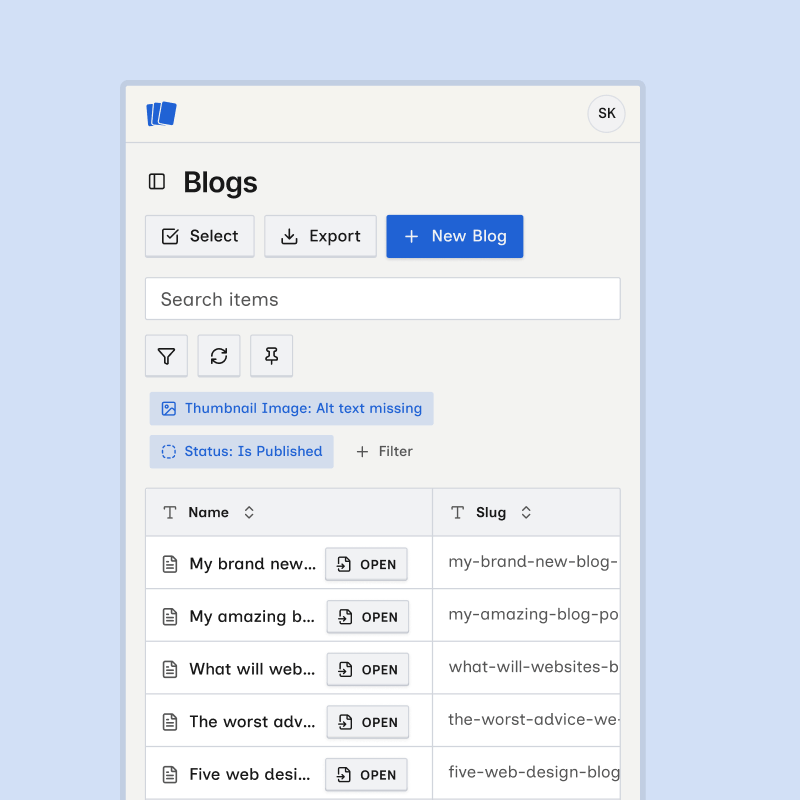
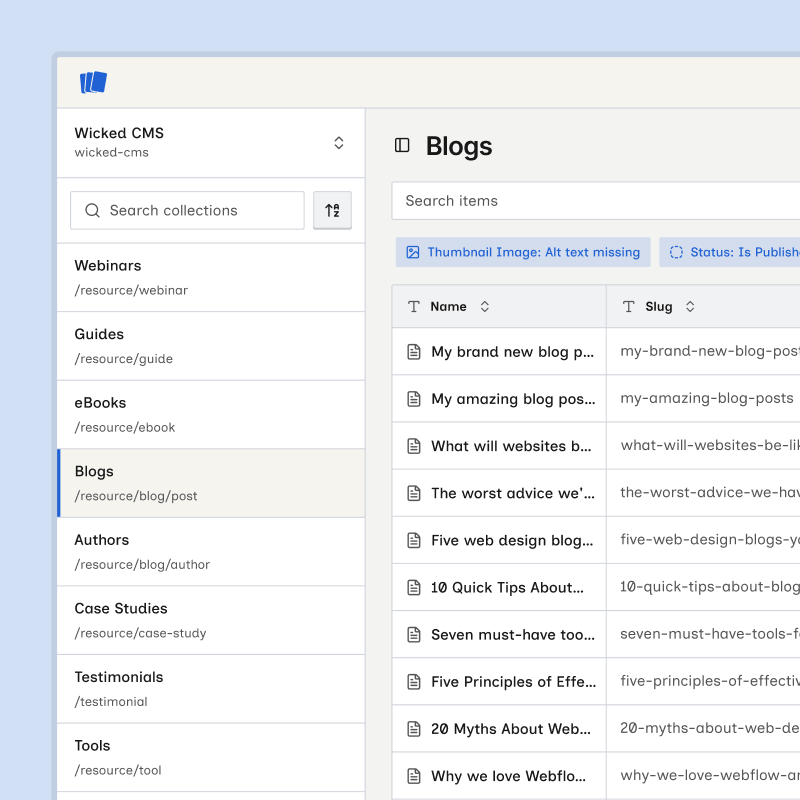
on your phone, every collection becomes a focused, tap-friendly layout you can edit and publish from. on a desktop, the same account opens the full workspace. same data, same actions, no second tool to learn.
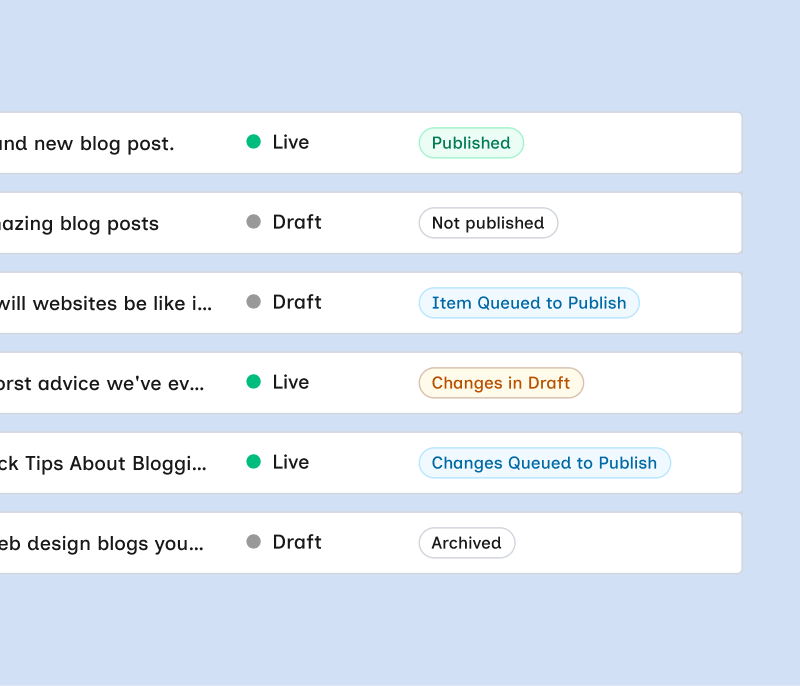
always know what’s live
every item carries a clear label, from live to draft to queued to publish. publish an item on its own, queue it for the next site publish, or unpublish, archive, and restore it, without guessing what your visitors can currently see.
every site, one place
switch between all your connected Webflow sites and pick up right where you left off. on multi-locale sites, move between locales and see where each one stands before you publish. useful if the sites you edit aren’t all your own.
safe to set up on client sites
wicked cms connects through Webflow’s own authorization, so access always follows the permissions you already granted.
per-user authorization
everyone signs in separately and connects their own Webflow account through oauth. there is no shared api key to hand around or rotate.
only the access it needs
wicked cms asks for scoped Webflow permissions to read and write cms items and assets. actions you haven’t authorized simply aren’t available.
disconnect whenever
unlink your Webflow account from wicked cms at any time, and revoke the connection from Webflow’s side too.
the things people ask first
ready to edit on the go?
sign up and start managing your Webflow CMS from wherever you are. it takes about two minutes and costs nothing.